


Make any photo talk.
Pick a face, type what it should say or use a voice message you got on WhatsApp. In seconds you get a lip-synced video with captions, ready for the group chat.
Get it free on Google Play
 Over 1 million downloads on Android
Three steps and the photo talks
-
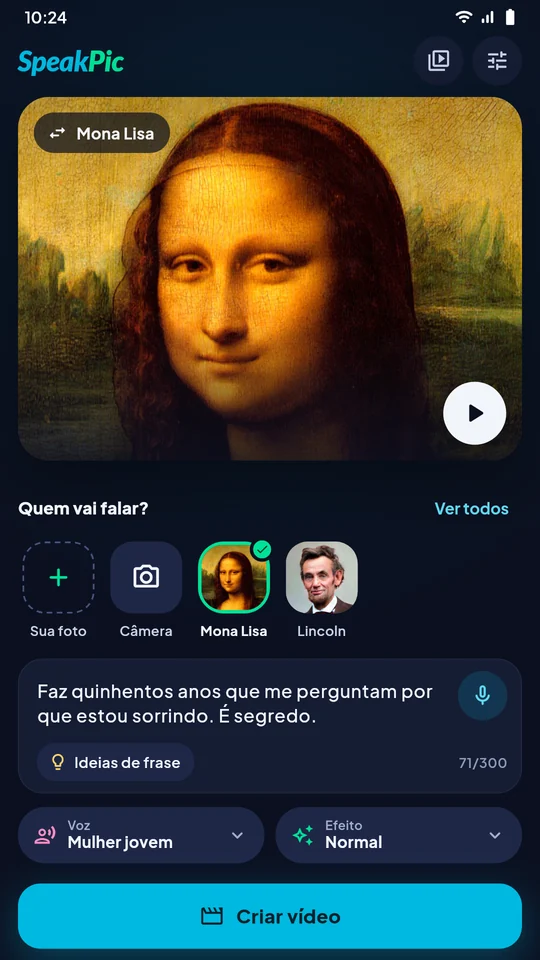
Pick who talks
A photo of you, a friend, or a ready-made character from the gallery.
-
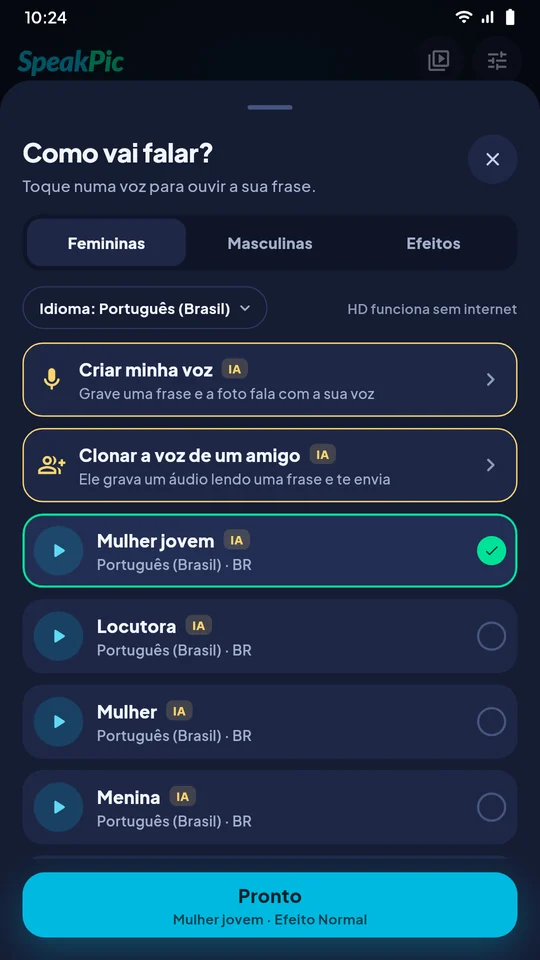
Pick the voice
Natural voices, your own voice, or an effect: robot, giant, helium.
-
Send it anywhere
The video comes out vertical with captions, ready for WhatsApp, Status or Reels.


Got a voice message? The photo says it.
In WhatsApp, press and hold the voice message, tap share and pick SpeakPic. The app asks who should talk and makes the video with that audio, exactly as it came.
From good-morning messages to group memes
-
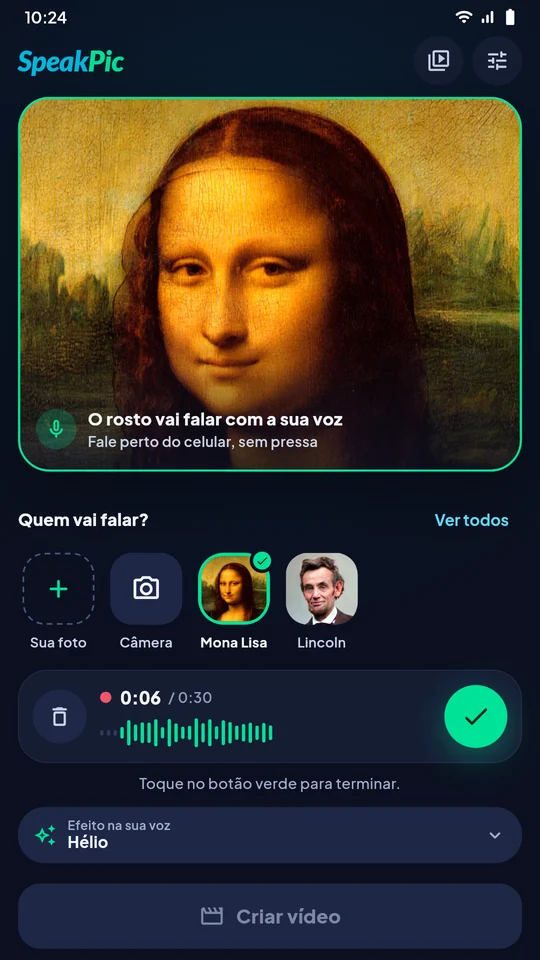
Your voice on any photo
Record one sentence and the face talks in your voice. A friend's voice works too, recorded by them.
-
Ready-made characters
Faces with their own voice and line, so you can start without a photo.
-
Captions that follow the voice
The word being spoken lights up, like the videos you see on Reels.
-
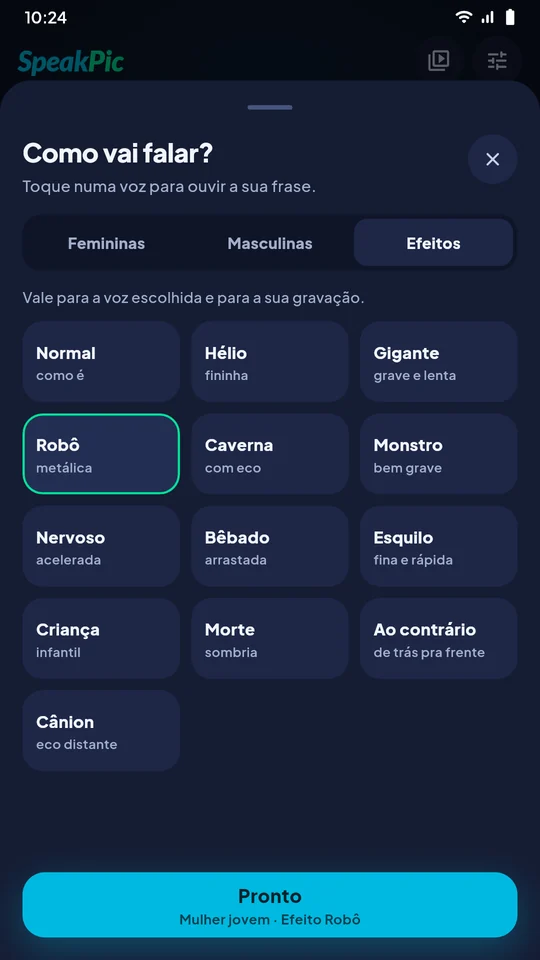
Voice effects
Robot, giant, helium, cave, monster, squirrel and more, on any voice or on your recording.
-
Works offline
HD voices in English, Spanish, French, Italian and Portuguese come with the app. It can also use your phone's voices.
-
Made for sharing
The WhatsApp button comes first. Save to your gallery or share just the audio.
Questions
Is it free?
Yes. SpeakPic is free and paid for by ads.
Is there an iPhone version?
Not yet. For now SpeakPic is Android only.
Does it work offline?
Yes, with your phone’s voices and the HD voices that come with the app. AI voices and cloned voices need a connection.
Is my voice stored on a server?
No. Your recording stays on your phone. When the app speaks in your voice, the recording goes to our service only to make that line, and it is not kept there.
Can I use anyone's photo and voice?
Only with their permission. To clone someone's voice, that person records a sentence the app picks at random. Don't use SpeakPic to deceive, offend or pretend to be someone else.
Something went wrong. How do I tell you?
In the app, open Settings and tap Report a problem. It comes straight to us.
